 Marc ComasProduct Designer (UX/UI)
Three years designing in-car screen interfaces for SEAT and CUPRA, and ObraCore, a product of my own that I defined, designed and built in React.
A recreation of ObraCore’s quote editor, with fictional data. The interface is in Spanish, as built. Change a quantity.
- Experience
- 3 years in automotive HMI
- Own product
- ObraCore, from idea to code
- Languages
- Catalan and Spanish, native. English B2
- Location
- Alicante (Spain), remote
Product case
ObraCore: checking a quote before it is sent.
A quoting and renovation management platform for self-employed tradespeople and small firms. My own product, in pre-launch.
On a renovation job, quote information ends up scattered.
Quotes, documents and tasks can end up spread across files and tools. ObraCore brings those pieces into one product for self-employed tradespeople and small renovation firms.
The most delicate moment is generating the quote: it is the document the client receives.
Before generating a quote, a person needs to tell the net amount, the taxes and the total apart.
The decision, step by step
Description, quantity, unit and amount are grouped per line item. Fields keep their labels visible while the quantity is entered.
The closing bar separates net amount and VAT and keeps the total in view throughout editing.
I grouped those figures next to “Generar presupuesto” (generate quote), so amounts are checked right where you decide to continue.
Amount and quantity move under the description. The total and the main action stay at the bottom of the screen.
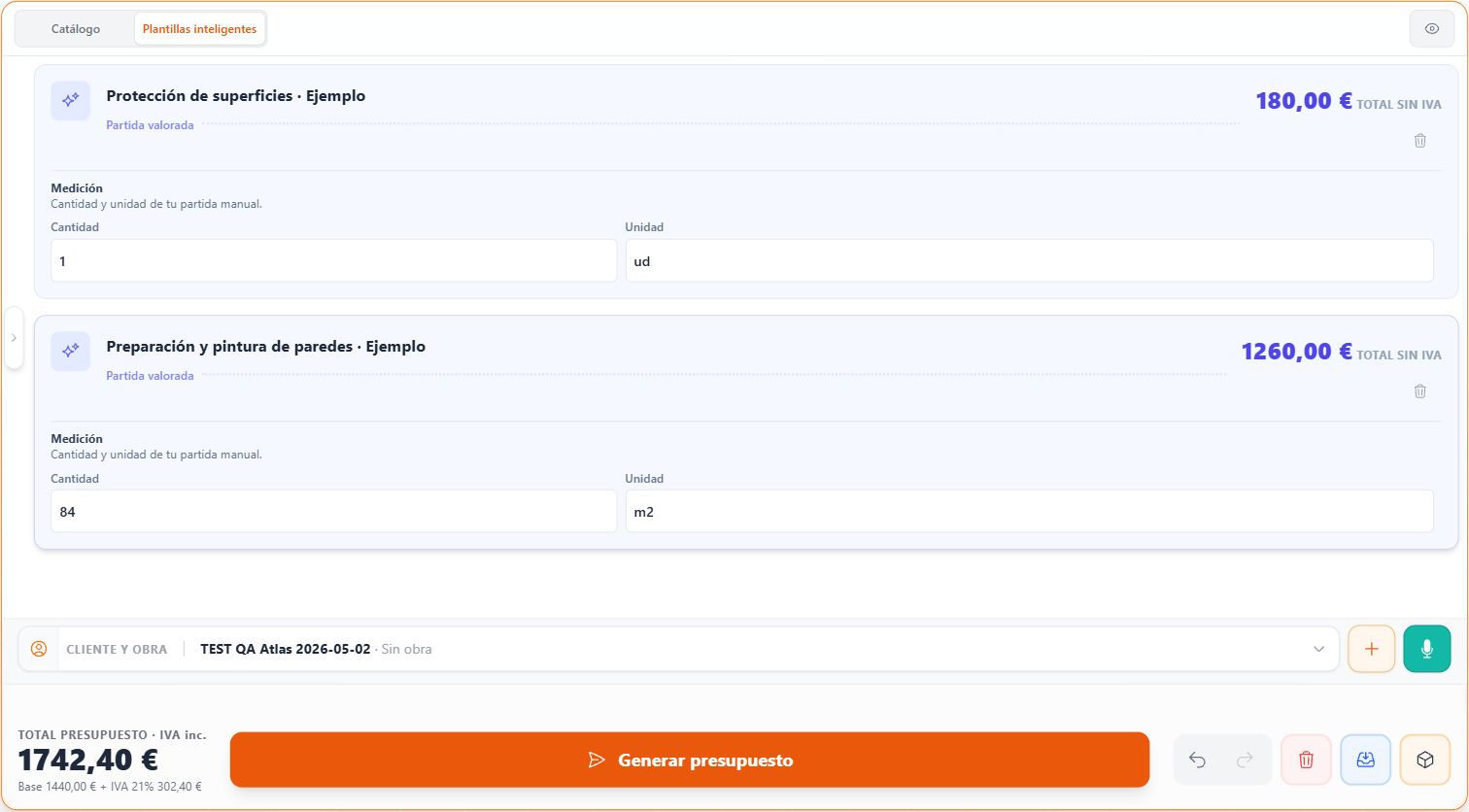
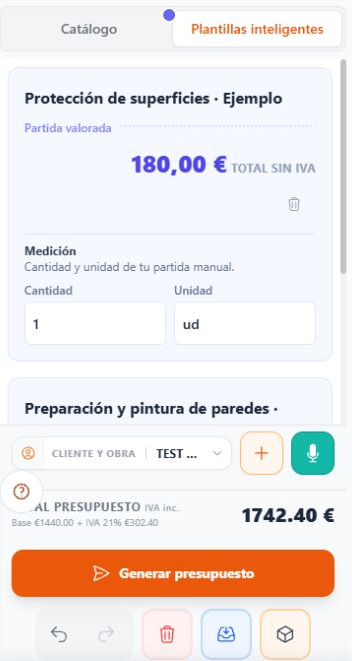
ObraCore’s real interface. Sample data.1 / 4
The same standard across the rest of the product.
Five real views of the application, each with the decision that organises it.
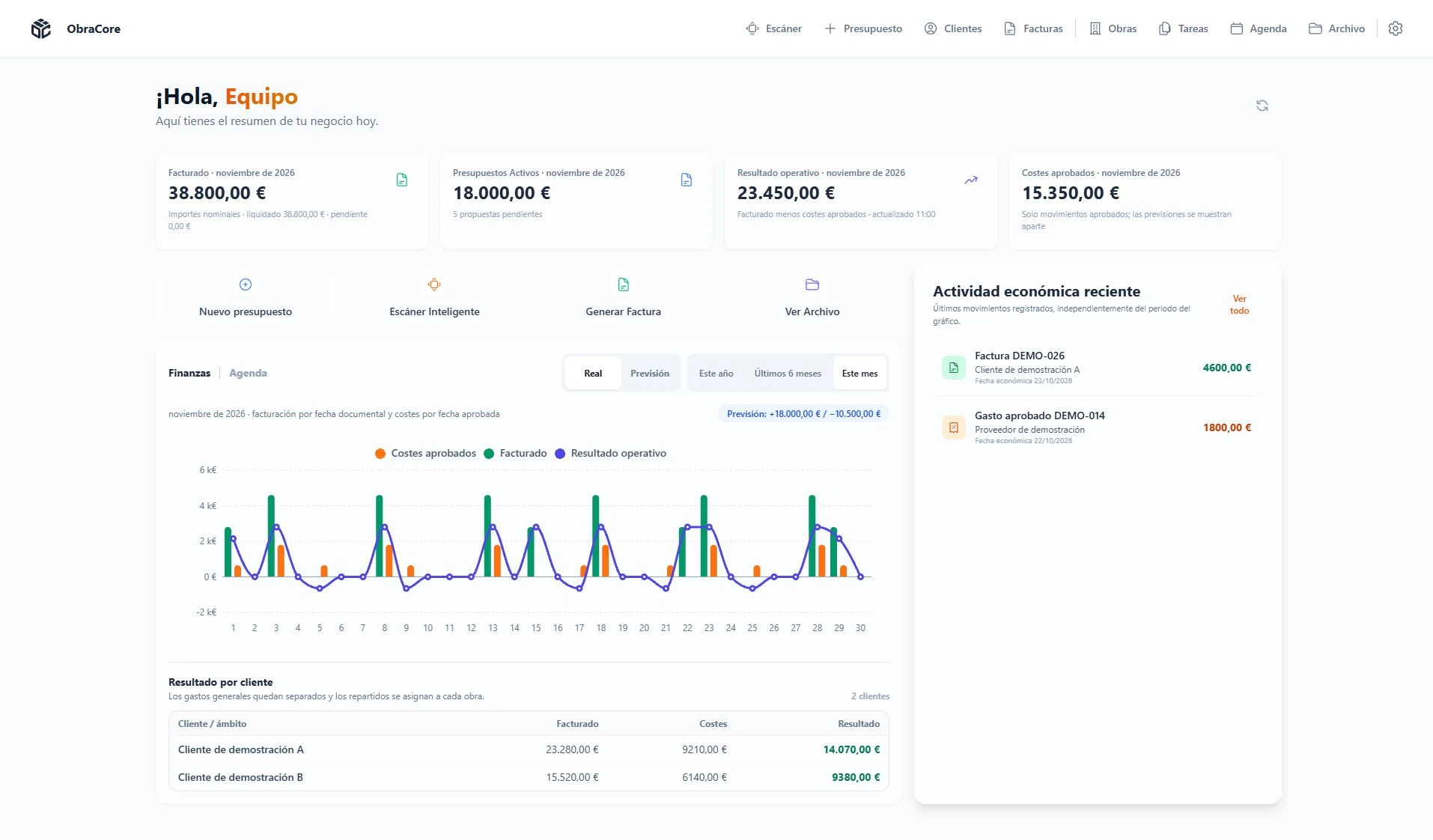
Business figures before the detail.
Invoicing, active quotes, operating result and approved costs lead the dashboard. Below them, shortcuts and recent activity give those figures context.
Checked so far
- Full editing of a sample quote, on desktop and on mobile.
- Visible labels, states and keyboard focus across components.
- A review of every screen with fictional data.
These are internal checks, carried out by me.
Next: testing with users
I will show a sample quote to a few people from the trade and ask them to tell me:
- Which amount is about to be sent.
- What it includes.
- What they would do next.
I will note where they hesitate and what changes in the interface.
Professional experience, 2022–2025
Three years designing in-car screens.
HMI UX/UI designer at Bertrandt, on projects for SEAT and CUPRA.
What I did
Design and graphic specification of HMI interfaces for the vehicle’s screens.
What the work was judged on
Usability, consistency across screens and the documentation of each specification.
What I bring to product
Hierarchies that read at a glance, consistent components and specifications that leave no doubt. It is the standard I apply to ObraCore today.
Career path
- 2019–2020Independent design projectsGraphic design for clients
- 2021Take Out. Disseny i comunicacióGraphic design intern
- 2022–2025BertrandtHMI UX/UI designer on projects for SEAT and CUPRA
- 2026ObraCoreOwn product. Master’s in Artificial Intelligence
More work
Six concepts to explore other problems.
Self-initiated projects, designed and developed by me. Brands and data are fictional.
 CIFRA
Compare quotes by price, lead time and scope.
B2B, comparison↗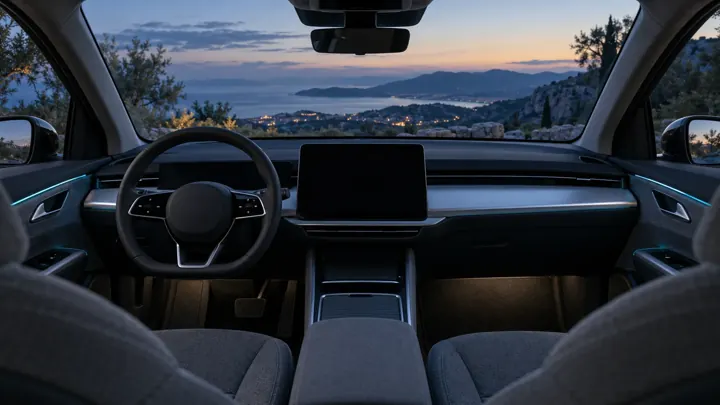 RUTA
Plan routes and charging stops for an electric vehicle.
Mobility, interface↗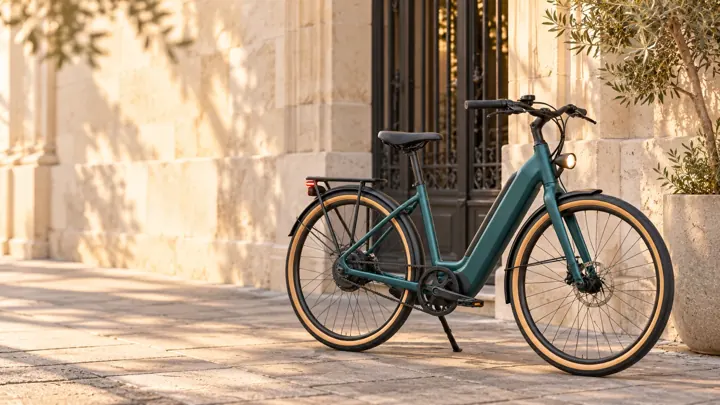 VOLTA
Choose a bike’s finish and size, then walk through the purchase.
Consumer, commerce↗ UMBRAL
Combine hours across several rooms and manage bookings.
Client area, bookings↗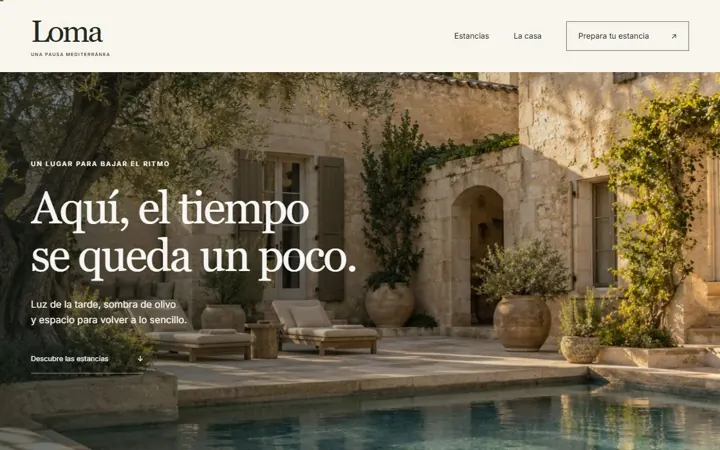 LOMA
Present a boutique hotel and check availability.
Web, art direction↗ Barro & Fuego
Explain a craft before asking anyone to pick a course.
Web, interaction↗
How I work
From problem to screen, in four steps.
I design and I build. That shortens the distance between a decision and checking it.
Understand
Sort out needs, screens and flows before building.
Information architecture and flowsShape
Connect hierarchy, interface and brand personality.
Figma and IllustratorBuild
Turn the proposal into a responsive web interface.
React, TypeScript, HTML and CSSReview
Check the result, correct it and keep it consistent.
States, keyboard focus and mobile
Education
- 2026Master’s in Artificial Intelligence. BIG School, Universidad Isabel I
- 2017–2021Graphic Design degree. ESDAP, Escola Superior de Disseny i d’Arts Plàstiques
- 2015–2017Higher diploma in Advertising Graphics. Escola Serra i Abella
Languages
- CatalanNative
- SpanishNative
- EnglishB2
Use of AI
I use AI as technical support to implement and review code. Product and interface decisions are mine.
Shall we talk about the role?
I can show you ObraCore on a video call, with a sample job, and walk you through my automotive work.